
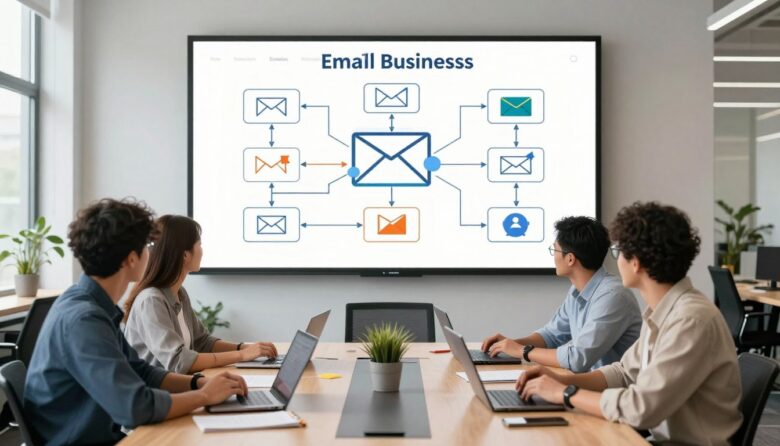
Email automation can help a small business respond consistently, support customers, and follow up on important actions without manually sending every message. The value comes from building clear workflows around real customer needs—not from sending more email simply because a platform makes it possible.
The five workflows below are practical starting points rather than guaranteed formulas. Timing, frequency, content, and results should be tested with your own audience, business model, consent requirements, and customer data.
A useful automated workflow connects a customer action to a relevant response. A new subscriber receives an introduction. A shopper who leaves an unfinished cart gets a reminder. A customer who completes a purchase receives instructions, support, and an appropriate follow-up.
Automation becomes harmful when it ignores context. Repeated reminders, inaccurate personalization, hidden subscription practices, and unnecessary data collection can reduce trust instead of improving the customer experience.
Core principle: automate predictable communication, but keep human support available for questions, complaints, unusual situations, and high-value conversations.
What Every Email Workflow Needs
Before building an automation, define the five parts that determine how it will behave.
The exit rule is especially important. A person who completes a purchase, requests support, unsubscribes, or becomes ineligible should not continue receiving messages that no longer make sense.
| Workflow | Common trigger | Primary purpose | Useful measurement |
|---|---|---|---|
| Welcome and onboarding | Confirmed subscription or account creation | Set expectations and guide the first useful action | Activation or first meaningful conversion |
| Cart or inquiry recovery | Started but unfinished transaction | Help an interested visitor continue | Recovered purchases or qualified inquiries |
| Post-purchase support | Completed purchase or booking | Reduce uncertainty and improve the customer experience | Successful delivery, activation, satisfaction, or repeat purchase |
| Re-engagement | Meaningful inactivity | Confirm interest and clean inactive segments | Reactivated contacts and healthy list reduction |
| Renewal or replenishment | Expected product, service, or subscription cycle | Send a timely, relevant reminder | Renewals, reorders, retained customers, or booked service |
Before You Build: Prepare the Data and Rules
Automation magnifies whatever already exists in the system. Clean data and clear rules produce useful communication. Inaccurate data can produce wrong names, duplicate messages, irrelevant offers, and customer frustration.
Choose one goal
Define the exact action the workflow should support, such as account activation, completed checkout, booked appointment, or successful onboarding.
Map the current process
Document what happens today, where delays occur, which systems are involved, and when a human needs to take over.
Confirm permission
Make sure the business has an appropriate basis to send the message and that subscription preferences can be respected.
- Identify the exact event that will start the automation.
- Decide which contacts must be excluded or suppressed.
- Confirm that the necessary data is accurate and available.
- Define what should remove a contact from the workflow.
- Choose one primary outcome and one or two safety metrics.
- Assign a team member to review performance and errors.
Welcome and Onboarding Workflow
Help new contacts understand what they joined and reach their first useful outcome.
A welcome workflow begins after a person knowingly subscribes, creates an account, downloads a resource, or starts a relationship with the business. It should deliver what was promised before asking for another commitment.
Confirm the subscription, provide the requested resource, and explain what kind of communication the person should expect.
Provide a short tutorial, checklist, setup step, or relevant article connected to the reason the person subscribed.
Invite the person to view a product, book a consultation, complete a profile, start a trial, or explore a relevant service.
Useful segmentation options
Segment contacts using information they have intentionally provided or actions they have taken. A visitor who downloaded an SEO checklist may need different follow-up content from a visitor interested in marketing automation.
- Source page or sign-up form
- Selected topic or declared preference
- Product or service category viewed
- Account setup status
- Customer, prospect, partner, or student status
Example subject-line directions:
Here is the checklist you requested A simple first step to get started Choose the topics you want to receiveAvoid making the first message primarily promotional when the person subscribed for a specific resource or update. Fulfilling the original promise is the first trust-building step.
What to measure
Do not evaluate the workflow only by opens. Measure whether contacts complete the next useful action: activating an account, viewing the correct resource, replying, booking, starting a trial, or completing a first purchase.
Cart or Inquiry Recovery Workflow
Follow up on genuine intent without pressuring or confusing the recipient.
Ecommerce stores commonly use this workflow for unfinished carts. Service businesses can adapt the same logic to incomplete quote requests, abandoned booking forms, unfinished applications, or product-demo registrations.
Remind the person what was left unfinished and include a reliable link that restores the relevant cart, form, booking, or application when possible.
Explain shipping, returns, availability, pricing, response time, required information, or another concern that may have interrupted the process.
Provide one final opportunity to continue. Avoid creating false urgency or implying that an offer will disappear when that is not true.
Use incentives carefully
A discount is not always necessary. Repeatedly offering coupons after abandonment can train customers to delay purchases. First test practical improvements such as:
- Restoring the exact cart or unfinished form
- Clarifying shipping, fees, availability, or delivery dates
- Showing accurate product or appointment details
- Providing access to human support
- Fixing checkout errors and mobile usability problems
Important: stop the workflow immediately when the transaction is completed. A customer should not receive a “You forgot something” email after completing the purchase through another device or channel.
Service-business example
A visitor begins a consultation request but leaves before selecting a date. The first message can provide a link back to scheduling. A later message can explain what happens during the consultation and what information the visitor should prepare.
What to measure
Track recovered purchases, completed bookings, qualified inquiries, support requests, unsubscribe activity, and complaints. A high completion rate is not valuable when the sequence creates cancellations, refund requests, or frustrated customers.
Post-Purchase Support and Customer Onboarding
Reduce uncertainty after the sale and help customers receive the value they expected.
Post-purchase communication should not be treated as an immediate excuse to send more promotions. Its first purpose is to confirm the transaction, explain the next steps, and help the customer use or receive what was purchased.
Include accurate order, booking, payment, delivery, access, and contact information. Keep essential transactional details easy to find.
Explain setup requirements, appointment preparation, shipping expectations, account access, installation, or other practical next steps.
Ask whether the order arrived or the service worked as expected. Make support easier to reach before requesting a public review.
Separate transactional and promotional purposes
Customers should be able to identify important order or account information without searching through promotional content. Keep receipts, delivery updates, booking changes, password notices, and service alerts clear and accurate.
Transactional priority
Order confirmation, delivery status, appointment information, account access, billing details, and required instructions.
Optional marketing
Complementary products, education, loyalty invitations, referral programs, or other promotions sent only when relevant and permitted.
Request feedback at the right moment
A review request sent before delivery or before the customer has used the service is poorly timed. Base the trigger on a realistic completion event when the system supports it.
- Confirm that delivery or service completion has occurred.
- Provide an easy support option before asking for a review.
- Do not request only positive reviews.
- Do not hide incentives connected to reviews.
- Route dissatisfied customers to genuine help rather than silencing feedback.
What to measure
Useful outcomes include completed onboarding, successful delivery, reduced avoidable support questions, product activation, satisfaction, retention, and appropriate repeat purchases.
Re-Engagement and List-Cleanup Workflow
Confirm whether inactive contacts still want to receive marketing messages.
An inactive contact is not automatically a sales opportunity. The person may no longer need the product, may have changed email addresses, or may simply prefer fewer messages. A re-engagement workflow should respect those possibilities.
The inactivity window should reflect the normal buying or content cycle. A weekly newsletter and an annual service have very different definitions of inactivity.
Remind the contact what they originally subscribed to and provide a simple way to update preferences.
Highlight a genuinely useful update, new resource, product improvement, or account benefit rather than using urgency without substance.
Tell the recipient that regular marketing may stop if they do not confirm interest. Continue sending only essential transactional communication when applicable.
Respectful subject-line directions:
Would you like to keep receiving these updates? Choose the topics that matter to you We are updating our email listDo not rely only on open activity
Open tracking can be incomplete or distorted by privacy features and automated systems. Use a combination of clicks, purchases, account activity, replies, website actions, and declared preferences when available.
What to measure
Measure confirmed interest, preference updates, meaningful clicks, purchases, replies, unsubscribes, complaints, and the number of contacts responsibly removed from regular marketing.
Renewal, Replenishment, and Milestone Workflow
Send useful reminders when timing can be estimated from a real customer cycle.
Some products, subscriptions, appointments, and services follow a predictable schedule. Automation can help customers avoid interruptions without requiring the business to send every reminder manually.
Replenishment
A reminder based on an estimated product-use period, with controls that allow the customer to change frequency.
Renewal
A clear notice explaining the date, price, terms, payment method, cancellation options, and any required customer action.
Milestone
Recognition connected to genuine account, membership, loyalty, or service activity rather than invented scarcity.
Useful examples
- Maintenance reminders based on equipment service intervals
- Subscription renewal notices before the billing date
- Reorder reminders based on typical product consumption
- Appointment follow-ups based on an agreed service schedule
- Loyalty updates when a verified reward or benefit becomes available
Avoid overconfident timing
A customer may use a product faster or slower than expected. Present replenishment timing as an estimate and provide options to reorder, delay, change frequency, or stop reminders.
Data minimization matters: collect only information that serves a clear purpose. Personal dates, preferences, purchase history, and behavioral data should not be collected merely because an automation platform can store them.
What to measure
Track timely renewals, repeat orders, retained customers, changed reminder preferences, cancellations, support contacts, and whether the reminders reduce or create confusion.
Simple Workflow Planning Template
Use this framework before opening the automation builder. A short plan makes it easier to identify missing rules and unnecessary messages.
Describe the intended customer outcome in one sentence.
Use an event that the platform can record reliably.
Include consent, customer status, geography, product, and suppression rules.
Prioritize clarity, relevance, and a realistic next step.
Examples include a purchase, reply, preference update, booking, or support request.
Include completion, unsubscribe, cancellation, complaint, or ineligibility.
Choose a completed action rather than an attention metric alone.
Assign responsibility for testing, reporting, corrections, and platform changes.
How to Choose an Email Automation Platform
The best platform is not necessarily the one with the longest feature list. It is the one that supports the required workflows, integrates reliably with existing systems, and can be managed by the team.
| Selection area | What to verify | Why it matters |
|---|---|---|
| Integrations | Website, store, CRM, booking system, analytics, and payment tools | Reduces manual transfer and keeps triggers accurate |
| Workflow logic | Triggers, delays, conditions, goals, exits, and error handling | Determines whether the workflow can follow real customer behavior |
| Contact management | Consent records, preferences, suppression, duplicates, and data exports | Supports responsible list management |
| Reporting | Clicks, conversions, unsubscribes, complaints, delivery, and revenue or lead attribution | Helps evaluate business results and warning signals |
| Pricing | Contacts, sending volume, users, automation limits, and feature restrictions | Prevents unexpected cost increases as the list grows |
| Support and portability | Documentation, human support, data export, and migration options | Reduces dependency on one platform |
Use a trial or demonstration to build one realistic workflow. Test the integration, contact updates, unsubscribe behavior, error handling, reports, and permission levels before moving the full list.
Test the Workflow Before Launch
Test these items
- Trigger enters the correct contact
- Personalization has a safe fallback
- Links lead to the correct page
- Delays and time zones work as intended
- Purchases and other goals stop later reminders
- Unsubscribe and preferences update correctly
- Mobile layout is readable and usable
- Replies reach a monitored inbox
Do not assume
- Every contact has complete profile data
- Every email client displays the same design
- Every integration updates instantly
- Every customer follows one journey
- A high open rate means the workflow succeeded
- Automation removes the need for review
- A template is legally suitable in every country
- More messages automatically produce better results
Measure Outcomes and Warning Signals
A responsible reporting dashboard should show both performance and potential harm. A workflow that generates sales while increasing complaints, cancellations, or refunds needs attention.
Open rates can provide directional information, but they should not be treated as a complete measure of human attention. Privacy protections, image loading, automated systems, and email-client behavior can affect open tracking.
| Signal | Possible interpretation | Recommended investigation |
|---|---|---|
| Clicks are high but conversions are low | The email creates interest, but the destination or offer may create friction | Review message match, landing page usability, price, availability, and tracking |
| Unsubscribes increase | Frequency, expectation, relevance, or targeting may be wrong | Review sign-up language, segmentation, timing, and preference controls |
| Complaints increase | Recipients may not recognize or expect the messages | Pause expansion, inspect acquisition sources, consent records, sender identity, and content |
| Conversions increase but refunds also rise | The sequence may create pressure or inaccurate expectations | Review claims, urgency, product fit, offer terms, and post-purchase experience |
| Engagement falls over time | The content may be repetitive, outdated, or no longer relevant | Refresh the sequence, reduce messages, and re-evaluate eligibility rules |
Permission, Unsubscribe, and Deliverability
Email requirements vary by location, audience, message type, and business activity. Small businesses should review the laws that apply to their recipients and obtain professional guidance when necessary.
- Use accurate sender information and non-deceptive subject lines.
- Make the business identity clear.
- Provide a visible and functional way to stop marketing messages.
- Honor unsubscribe and preference requests promptly.
- Include required business or postal information where applicable.
- Protect contact information and collect only data with a clear purpose.
- Authenticate sending domains using the technical standards required by mailbox providers.
- Monitor delivery errors and spam complaints instead of continuing to send blindly.
The United States Federal Trade Commission provides a business guide to the CAN-SPAM Act. Gmail also publishes technical requirements and recommendations for senders, including additional requirements for accounts that send high volumes to Gmail recipients.
A Practical Launch Plan
- Choose one workflow connected to an existing customer need.
- Document the trigger, eligibility, messages, branches, and exit conditions.
- Connect only the systems and data required for that workflow.
- Create concise messages with one clear purpose each.
- Test every route using internal and test contacts.
- Launch to a controlled audience when appropriate.
- Monitor delivery, conversions, opt-outs, complaints, and customer questions.
- Correct errors before expanding the workflow.
- Review active automations regularly for outdated offers, links, staff, prices, and policies.
A good first workflow: choose a process with a clear trigger, a simple customer need, reliable data, and an obvious exit. A short welcome or customer-onboarding sequence is usually easier to validate than a complex system with many behavioral branches.
Frequently Asked Questions
Which email automation should a small business build first?
Start with the workflow connected to the clearest customer need and most reliable trigger. A welcome sequence, booking confirmation, or post-purchase onboarding workflow is often easier to test than a complex promotional system.
How many emails should an automated sequence contain?
There is no universal number. Use only the messages required to complete the intended purpose. A transactional confirmation may need one message, while onboarding may require several steps. Stop when the goal is complete or the contact is no longer eligible.
Should every workflow offer a discount?
No. Many customers need clarity, reassurance, easier navigation, support, or a timely reminder rather than a lower price. Discounts should be tested carefully because they affect margins and customer expectations.
Is email automation completely hands-off after launch?
No. Workflows require monitoring and maintenance. Links, prices, products, team details, policies, integrations, and customer expectations can change. Review active automations regularly and investigate unusual delivery or complaint patterns.
Should inactive contacts be deleted immediately?
Not necessarily. First define inactivity according to the business cycle, review legal and recordkeeping needs, and consider a respectful re-engagement process. Contacts who remain unresponsive can often be suppressed from regular marketing rather than repeatedly contacted.
Can artificial intelligence write all automated emails?
AI-assisted tools can help organize ideas or create drafts, but the business should verify accuracy, tone, claims, personalization, links, legal requirements, and customer context before publishing. Automated drafting does not remove editorial responsibility.
What is the most important automation metric?
The primary metric should match the workflow’s purpose, such as completed onboarding, recovered checkout, successful delivery, qualified inquiry, renewal, or repeat purchase. Evaluate it together with opt-outs, complaints, refunds, and customer quality.
Official Resources

The TedeData Editorial Team creates practical and accessible content about SEO, marketing automation, web analytics, artificial intelligence tools, and digital growth. Each article is researched and reviewed to help readers better understand online strategies, tools, and technologies without unnecessary complexity.